A home lab server: choosing the first box (Pi, mini PC or a used workstation)
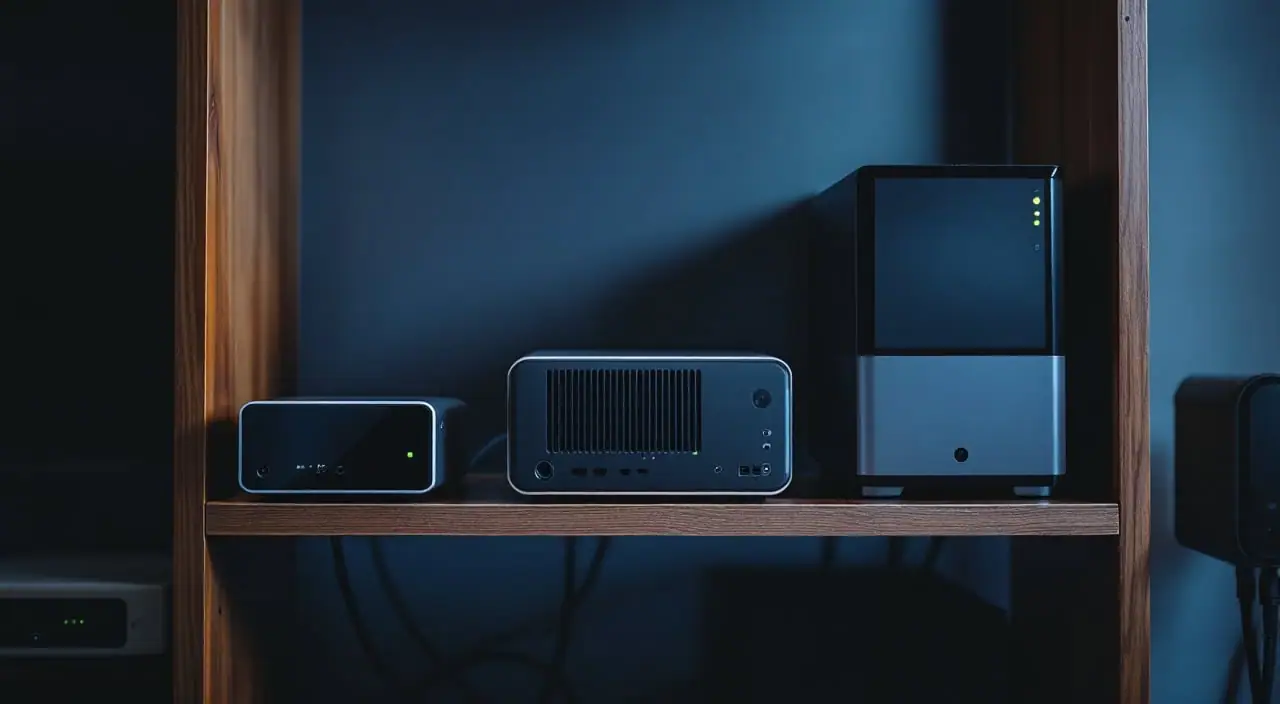
For a first home lab server that runs a monitoring stack, Proxmox or a few containers, start with an Intel N100 or N150 mini PC with 16 GB of memory and an SSD: x86, quiet, small. Pick a Raspberry Pi 5 when everything you run is published for arm64 and you need no virtual machines. Pick a used small-form-factor desktop or workstation when you need more memory slots, a second network card or drive bays, and can accept more watts and fan noise. Size any of them by RAM and storage first; the CPU is rarely what runs out.
Three questions before you buy
- What will it run? Write the list: a monitor and its database, a dashboard, an uptime checker, perhaps one VM.
- Does anything on that list need x86 or a virtual machine? That answer alone can rule out the Pi.
- Where will it sit? The box runs every hour of the year, so idle watts and noise in a quiet room matter more than benchmarks.
What the first box actually runs
Usually one of three things: a monitoring stack (Prometheus and Grafana, or Zabbix or LibreNMS with a database, the choice the open-source monitor comparison walks through), a Proxmox host with a few VMs and LXC containers, or plain Debian with Docker Compose. None of them works the CPU hard. They eat memory, which VMs reserve and databases fill with cache, and they write to disk all day.
My budget for a Proxmox box: 2 GB for Proxmox itself (the minimum its documentation gives for the OS and its services), 4 GB for a LibreNMS VM and its database, 2 GB for a container host with Grafana and Uptime Kuma, the rest as headroom. That fits 16 GB with room to grow, and 8 GB only without the VMs.
Affiliate links: we may earn a commission. We also earn from qualifying purchases on eBay.
rack list
- EcoFlowPortable power stations that keep a small rack or a closet running through longer outages than a desktop UPS covers.Try EcoFlow
RAM and storage over CPU
Memory is the first wall, and on small boxes it is fixed early. Intel gives the N100 and its successor, the N150, one memory channel and a 16 GB maximum. The Beelink Mini S13 ships with 16 GB of DDR4, so you buy the ceiling. The Pi 5 carries 1 to 16 GB on the board, with no slot to add more. Used business desktops, with more slots, are where memory grows.
Storage fails more quietly. A monitoring database writes every few seconds, and a microSD card was not built for that. An SSD with a published endurance rating was: Samsung rates the 990 PRO 1 TB for 600 TB written over a five-year warranty, so even 50 GB a day is 600,000 / 50 = 12,000 days, about 33 years. The Mini S13 ships with a 500 GB SSD; check its listing for the drive types its slots take before you buy a faster one. The Pi 5 reaches NVMe through its PCIe 2.0 x1 connector and an M.2 HAT. Proxmox suggests roughly 1 GB of memory per TB of used storage for ZFS, so on 16 GB the default ext4 with LVM-thin is easier.
Idle power and noise for an always-on box
A home lab server spends most of its life idle, so the idle figure is what reaches your bill. One watt around the clock is 8.76 kWh a year (1 W x 8,760 hours). Suppose your meter shows 8 W for a mini PC and 35 W for a used tower at idle: the 27 W gap is 27 x 8.76 = 236.5 kWh a year, times your own rate.
Compare only what you measure, with a plug-in meter at idle and under your real workload. Brick ratings are ceilings: the watts printed on an adapter are the most it can deliver, not what the box draws. Used towers often carry a graphics card you will never use; pull it and measure again.
For noise, a Pi 5 with an active cooler and the Mini S13 (Beelink lists a cooling fan and a heat sink) are fine on a desk. A 1-liter desktop has one small fan, and you hear it when the CPU works. Rack servers have machine-room fans and do not belong where anyone sleeps. A NAS adds disks: UGREEN quotes 29 to 34 dB for the DXP2800 in quiet mode, before your drives.
One NIC or two
A monitoring or container host needs one port. Proxmox puts a Linux bridge (vmbr0) on it, and with "VLAN aware" ticked that one cable carries management, server and IoT networks as tagged VLANs, laid out as in the VLAN plan for a house.
Two ports earn their place for a firewall VM, where modem and LAN belong on separate wires, and for keeping backup traffic or hypervisor management off the main link. The Pi 5 has one gigabit port, so it is not a firewall box without a USB adapter, which I would not trust with every packet in the house. Mini S13 listings differ on one or two 2.5 GbE ports: check the version before you plan a firewall on one. Used small-form-factor desktops and towers usually add a PCIe slot that takes a dual-port card; most 1-liter models do not.
ARM or x86: check the software first
The Pi 5 is a 64-bit Arm machine (quad-core Cortex-A76). Most popular container images are published for arm64 as well as amd64, but not all. Check each image on your list:
docker buildx imagetools inspect grafana/grafana:latest | grep Platform
docker buildx imagetools inspect librenms/librenms:latest | grep Platform
If linux/arm64 appears for each, the Pi can run it. An image that lists only linux/amd64 needs x86, as does anything Windows-only.
VMs settle it faster. Proxmox VE wants 64-bit x86 with Intel VT or AMD-V, its newer arm64 support targets UEFI server hardware, and its requirements page says single-board computers such as the Raspberry Pi are not supported. On a Pi, run Raspberry Pi OS (64-bit) with Docker, as in the weekend Raspberry Pi monitoring build. If you already own a case, cooler and 27 W supply, the bare 8 GB board is enough. Intel lists VT-x and VT-d for the N100, so Proxmox runs KVM at full speed on it.
Used workstations and small-form-factor desktops
The third option is an office desktop a business has retired: a 1-liter mini, a small-form-factor (SFF) case or a workstation tower. Check:
- CPU generation. Look the processor up on Intel's or AMD's spec pages: VT-x or AMD-V for VMs, VT-d or AMD-Vi for passthrough, maximum memory. Skip anything still on DDR3.
- RAM slots. Two in most 1-liter boxes, often four in an SFF or tower. Count the free ones and read the board's maximum.
- Idle power. Towers with big supplies and workstation CPUs can idle well above a mini PC. Ask for a meter reading or take one on day one.
- Noise. Small cases get louder under load than towers.
- NIC count. One onboard port is standard; for two, you need a free PCIe slot (low profile in most SFF cases).
- Missing parts. Expect listings without drives, with half the memory, without the power brick, or with a firmware password left by the last owner.
The three options side by side
| Raspberry Pi 5 | N100 or N150 mini PC | Used SFF or workstation | |
|---|---|---|---|
| Architecture | arm64 | x86-64 | x86-64 |
| Memory | 1 to 16 GB, fixed | 16 GB maximum | 2 to 4 slots or more |
| Fast storage | NVMe via PCIe 2.0 x1 board | M.2 on the mainboard | M.2 and drive bays |
| Network | 1 x gigabit | 2.5 GbE, one or two ports by version (Mini S13) | 1 onboard, PCIe for more |
| Proxmox | Not supported | Yes | Yes |
| Idle power | Usually lowest | Low | Usually highest |
What to look for, need by need
| Need | What to look for | Why |
|---|---|---|
| Memory | 16 GB for Proxmox; 8 GB for containers only | VMs reserve it, databases cache in it |
| Storage | SSD with a published TBW rating | Monitoring data writes all day |
| CPU | x86-64 with VT-x for VMs; arm64 for containers | Software support decides, not speed |
| Network | 1 port for a host; 2 for a firewall VM | WAN and LAN on separate wires |
| Power | Measured idle watts; power-on after a cut | It runs 8,760 hours a year |
| Backup power | UPS with a USB data port | A clean shutdown, not a damaged database |
The short list
The Mini S13 is the box most labs should start with: an N150, 16 GB, a 500 GB SSD and 2.5 GbE. The CanaKit kit is the leaner route, a Pi 5 with case, cooler, power supply and a 128 GB card; check which memory size it carries and take 8 GB for a database-backed monitor. The DXP2800 is the step up when the server should also hold your data: an N100 with 8 GB of DDR5 (16 GB maximum, per UGREEN), two drive bays, two M.2 NVMe slots and a 2.5GbE port. The BE600M1 covers short cuts.
I picked these from the makers' spec pages and other people's published reviews, without bench time of my own. Small boxes get revised quietly, so read the current spec page before ordering.
Backups before the first VM
Build the backup the same week as the server, on the old 3-2-1 rule: three copies, two kinds of storage, one off the premises. Proxmox has it built in: add a NAS share under Datacenter, Storage, then schedule a job under Datacenter, Backup. By hand, for VM 101:
vzdump 101 --storage nas-backup --mode snapshot --compress zstd
nas-backup is the ID you gave the storage. Proxmox Backup Server, a separate open-source product, adds deduplication and incremental backups. On a Docker host, keep each docker-compose.yml in git, back up the volumes, and dump databases (mariadb-dump, pg_dump) instead of copying live files. Then restore one backup once, so you know it works.
Power protection and watching the watcher
A power cut mid-write is the easiest way to lose months of graphs. Put the server, switch and router on a UPS with a USB data port, and run NUT so the server shuts down cleanly on low battery; UPS monitoring with NUT has the configuration and the UPS sizing guide checks runtime against your meter reading. The BE600M1 is rated 600 VA and 330 W, with five battery-backed outlets of seven.
Then make the server come back by itself: Beelink lists automatic power-on for the Mini S13, and used desktops have a firmware setting such as "AC power recovery".
Finally, have something else watch the server. A crashed monitor sends no alerts, which from the couch looks like a healthy network. Run prometheus-node-exporter (port 9100) and let a second, smaller machine check that it answers.
When to spend more
Spend more when the box tells you to, not before:
- Proxmox starts swapping, or you want more VMs than 16 GB holds: a used SFF desktop with four slots.
- You want the firewall on the server: two ports on the board.
- Your data outgrows one SSD: drive bays, in a NAS such as the DXP2800 or a tower with room for disks.
Until then, a 16 GB N100 box on a UPS, measured at the wall, backing up to a second device, carries a monitoring stack, a handful of containers and a VM or two. Write the memory budget first; it picks the box for you.
used gear
Used gear on eBay: used mini PCs · used Dell micro PCs
next: PoE budget calculator for the numbers, the Rack list for the gear